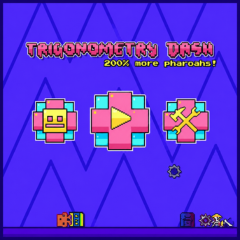
Trigonometry Dash online brings the ultimate rhythm-platformer challenge. Avoid deadly spikes, follow the beat, and beat your high score in this free game.
What is Practice Mode in Trigonometry Dash?
Practice Mode allows players to practice any level without fear of being "returned to square one" after hitting an obstacle. Instead of having to start over, the game provides a crucial feature: the Checkpoint system.
By pressing the checkpoint button, you can mark the safe location you just passed. If your character explodes, you will immediately respawn at the nearest checkpoint to continue the challenge.
4 Tips for Using Practice Mode to Conquer Trigonometry Dash Quickly
To avoid turning practice mode into a meaningless "die and respawn" loop, apply these strategies from experienced players:
Tip 1: Manually Manage Checkpoints
By default, the game automatically sets checkpoints after a short period of time. However, this automatic feature often puts you in a difficult position.
Solution: Go to settings and turn off Auto-Checkpoint. Manually set checkpoints in flat, safe areas before entering a complex series of obstacles.
Tip 2: Memorize the Rhythm
Trigonometry Dash is a rhythm-based platformer. Just like its famous mobile cousins, Geometry Dash SubZero, every jump and transformation is synchronized with electronic music rhythms. In Practice Mode, however, the background music may be interrupted by the character's death sounds, throwing off your timing.
How to handle it: Don't focus too much on watching the geometric shapes move. Try to memorize the key presses (Click/Space) that match the rhythm of the music at that point. When the music and your hands are in sync, you'll pass easily.
Tip 3: Chunking Strategy
Don't try to play the entire level in practice mode in one go.
Instead: Break the level down into segments (e.g., the teleportation gate segment, the gravity reversal segment). Place a checkpoint at the beginning of a difficult segment and replay that segment 10-15 times until your hand muscles automatically register the reflexes.
Tip 4: Be patient and know when to stop
Trigonometry Dash is classified as a Rage Game. If you think the neon traps in Geometry Dash Meltdown or the icy hazards in Geometry Dash SubZero were frustrating, this fan-made version will test your patience even more. Dying hundreds of times in Practice Mode is perfectly normal.
FAQs
Q1: How do I turn on Practice Mode in Trigonometry Dash online?
A: To activate Practice Mode, pause the game during any level and click the Green Diamond icon (or press the designated practice hotkey on your keyboard).
Q2: Can I get stars or rewards for beating a level in Practice Mode?
A: No. Just like in Geometry Dash SubZero or Geometry Dash Meltdown, completing a level in Practice Mode is strictly for training and does not award stars, coins, or official completions. You must beat the level in Normal Mode to unlock rewards.
Q4: Is Trigonometry Dash harder than the original Geometry Dash?
A: Many players consider this fan-made version harder because it introduces tight, math-themed obstacle spacing that requires faster muscle memory and more precise reflex timings compared to early official levels.
Q5: How do I remove a badly placed checkpoint?
A: If you accidentally place a checkpoint right in front of a deadly hazard, press the Delete Checkpoint button (usually the trash can icon or the "X" key) to erase your last checkpoint and avoid an endless death loop.