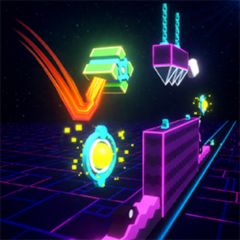
In the world of Geometry Dash Breeze 3D, music isn't just for fun; it's key to survival. Unlike the traditional 2D version, the 3D perspective easily creates a visual illusion, causing many players to press the button too early or too late even when they've seen obstacles.
If you're struggling with illogical jump misses, apply the following Rhythm Syncing tips to achieve 100% accuracy in every action!
1. Why Does 3D Perception Make You "Out of Sync"?
When switching from 2D to 3D graphics, the depth of perception changes the actual distance between the cube and obstacles:
- Distorted vision: Spikes or dash rings in the distance appear small and slow-moving, but they approach you extremely quickly.
- Misaligned visual focus: Your eyes tend to react to the image rather than the rhythm. When you're too focused on 3D obstacles, your hands will press based on visual perception rather than the rhythm of the song.
Golden rule: Don't completely trust your eyes in a 3D environment. Trust your ears!
2. Top 5 Tips for Accurately Timing Geometry Dash Breeze 3D Music Playback
Wear Headphones and Turn Up Music Volume
- The external speakers of phones or computers often have a slight audio delay, causing the loss of hidden bass/beats.
- Use wired headphones. The sound travels directly to your ears, allowing you to react 15–30ms faster than just looking with your eyes.
Identifying the "Kick/Snare Beat" for Each Jump
Most levels in Geometry Dash Breeze 3D use EDM, Dubstep, or Electro Techno music with a very clear 4/4 rhythm.
- Kick sound: Usually corresponds to consecutive jumps or the ship mode segment.
- Snare sound: Usually marks the landing point of jumps over single spikes or jumps through the gravity portal.
Before playing a difficult segment, close your eyes for a few seconds and tap your fingers to the rhythm of the music to "load" the melody into your head.
3. Turn Off Visual Effects to Avoid Distractions
The game has a very attractive neon lighting system and 3D effects, but these are also "enemies" that can distract you.
- Go to the game's Settings.
- Change the graphics to Medium or Low.
- Reducing visual effects will help your brain focus 100% on the synchronization between your ears and hands.
4. Utilize Practice Mode to "Pin" the Beat
Don't just use Practice Mode to set checkpoints! Use it to learn the rhythm:
- Place a checkpoint right before the section of music/obstacle where you often fail.
- Play music in Practice Mode.
- Repeat that section 10-20 times just to count the beats. Once your hands develop a natural reflex, you'll easily pass in Normal Mode.
5. Troubleshooting Input Lag
Even if you time your input perfectly, you'll still lose if your device lags.
- Prioritize playing on lightweight browsers, close hidden tabs, and use the Space key or Up Arrow key instead of the mouse if your mouse has high latency.
- Change your monitor refresh rate to 60Hz, 120Hz, or 144Hz for the smoothest frame rate and reduce the lag between your hand and the screen.
Conclusion
Mastering Rhythm Syncing techniques will transform you from a passive player relying on luck into a "master" who dominates the game in Geometry Dash Breeze 3D. Put on your headphones, focus on the beat, and feel the difference today!