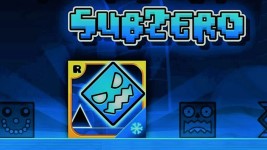
Geometry Dash SubZero is a challenging expansion pack with a constantly moving camera system. This article will help you quickly tackle the hardest parts: from unlocking secrets in the Vault to collecting all nine gold coins and tips for maintaining balance while playing.
How to Access the Hidden Vaults in SubZero?
The Vault is where you can enter special codes to get new icons and outfits.
- How to access: On the home screen, tap the gear-shaped Settings icon, then find the padlock icon in the upper right corner.
- Passcode: SubZero includes secret codes (often shared by community platforms like Reddit or Discord). Once entered correctly, new icons will be added to your inventory.
If you enjoy similar fast-paced platform gameplay with modern level design, you might also like Geometry Jump 2, which expands rhythm-based mechanics with more dynamic obstacle patterns.
How to Collect All 3 Secret Coins
To achieve 100% completion, you need to collect all three gold coins in each level: Press Start, Nock Em, and Power Trip.
- Common locations: Coins are usually off the main path, often hidden behind alternate routes or risky jumps.
- Tip for beginners: Use Practice Mode to set checkpoints right before coin sections so you can retry easily.
In Nock Em, pay attention to camera shifts since coins often appear during rotation sequences.
If you enjoy precision-based gameplay with smoother visual transitions, you may also enjoy Geometry Dash Breeze, which focuses on refined timing and flow control.
Don't try to collect coins on your first try. Memorize the level's rhythm first, then return to hunt for coins.
Tips for bypassing camera rotation and zoom sections
One of the most frustrating aspects of SubZero is the constant zooming and rotating camera, which can easily disorient or make players feel dizzy.
- Focus on the center of the screen: Don't let your eyes follow the background's rotating effects. Try to keep your gaze fixed on the central area where your character is moving.
- Trust the rhythm: No matter how distracting the camera effects are, they don't change the tempo of the music. If you feel dizzy, try to feel the drum beat to press the keys at the right time instead of just looking.
- Take regular breaks: If you play for more than 15 minutes and experience eye strain or nausea due to the rotating effects, take a break. Long sessions can make the rotating effects harder to read.
Why SubZero Feels Different from Classic Geometry Dash?
Many people wonder why SubZero has different effects compared to the original version. The answer is simple:
- The 2.2 demo: SubZero is essentially where the developers are testing new features for the Geometry Dash 2.2 update. All the camera effects, screen rotations, and new triggers you see are "specialties" of version 2.2.
- Preparation: Mastering SubZero will help you get acquainted with the modern gameplay style of user-created levels later in the official 2.2 version.
FAQs
How many levels does Geometry Dash SubZero have?
Currently, this version has exactly 3 official levels with increasing difficulty:
- Press Start: Normal difficulty.
- Nock Em: Hard difficulty.
- Power Trip: Harder difficulty.
Each level has its own unique soundtrack and a system of 3 Secret Coins for you to collect.
Can I transfer Icons from SubZero to the original Geometry Dash?
Yes. You can transfer unlocked Icons using the Save/Load feature in your Boomlings account (the account registered in the game). Make sure you press "Save" in SubZero and "Load" in the main version to synchronize data.
Why can't I find the Search section to play other users' levels?
SubZero is a Standalone version. It only includes the developer's available levels to demonstrate new features. To play millions of community-created levels, you need to install the full version of Geometry Dash.
How to reduce lag when playing SubZero on an old phone?
Enable Low Detail Mode (LDM) in Options to reduce background effects and improve performance.
For players who enjoy more minimal geometry-based challenges, Geometry Arrow is another great option with cleaner visuals and stable performance across devices.