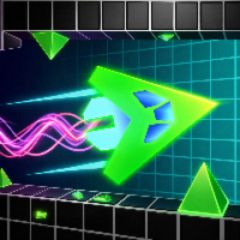
Wave Mode in Geometry Dash Spam 3D is one of the most challenging and potentially fatal obstacles. Unlike the traditional 2D version, the 3D perspective makes the Wave trajectory extremely difficult to control. This article will guide you from basic to advanced levels on how to maintain a steady clicking rhythm, familiarize yourself with spatial depth, and never deviate from your path!
Why is Wave Mode 3D Harder to Control Than 2D?
In Geometry Dash Spam 3D, Wave mode retains the basic mechanism: Press and hold/click repeatedly to move diagonally upwards, release to move diagonally downwards. However, 3D mode presents two major obstacles:
- Visual trap from depth: The 3D perspective makes narrow lines appear distorted or further away than they actually are.
- Response speed and click rhythm: As the difficulty increases, you don't just "spam" keys frantically, but you have to spam rhythmically. Just one extra or missing click will cause the Wave line to deviate from its center axis and immediately crash into an obstacle.
4 Secrets to Maintaining a Consistent Clicking Rhythm in Geometry Dash 3D
To master online Wave 3D mode, you need to apply these four golden rules:
Rule 1: Fix your gaze on the "Wave's Nose"
When playing on a web browser, our eyes are easily distracted by the rotating 3D background effects.
Always focus your eyes on the tip of the Wave and the space directly in front of it, about 1-2cm on the screen. Don't look at distant obstacles.
Principle 2: Shift from "Frenzied Spamming" to "Maintaining Frequency"
The most common mistake beginners make is pressing keys too quickly and uncontrollably.
To keep the Wave path straight along a stable horizontal line within the narrow 3D frame, the time interval between the DOWN and UP commands must be equal.
Principle 3: Optimize Keypress Setup
Switch to using the Space Key or the Up Arrow Key. The larger contact area of the Space Key reduces finger fatigue and makes it easier to maintain a steady rhythm.
Principle 4: Identifying 45-Degree Diagonals in 3D Space
In Geometry Dash 3D, the wave path always moves at a 45-degree diagonal angle. Get into the habit of aligning your taps with the upper and lower boundaries of the narrow path to create a balanced rhythm that compensates for the gravitational pull.
Common Errors Causing Wave 3D Trajectory Deviation & How to Fix Them
Lag and lag due to browser issues:
Solution: Enable Low Detail Mode in the game or close all unrelated Chrome tabs before playing.
Swiping too forcefully causing muscle fatigue:
Solution: Relax your wrist and gently release pressure from your fingertips onto the key.
Disorientation when changing 3D camera angles:
Solution: Maintain your current clicking rhythm, regardless of whether the in-game camera is tilted or facing forward.
If your Wave track keeps hitting the ceiling, you're holding down the key for too long. If it hits the floor, your clicking speed is too slow compared to the level's movement speed.